

Defect Liability Period Management
Run the entire DLP digitally: defect categorisation and importance levels, automatic escalation, daily reminders, XLSX dashboard exports and monthly summary reporting. The platform behind our DLP maintenance service.
What it does
The Defects Liability Period is where good projects go to be forgotten. Practical Completion is signed, the team demobilises, and a 12–24 month tail of defects, work orders and client reporting lands on whoever drew the short straw, usually managed from a spreadsheet that decays by the week.
Procom manages the entire DLP lifecycle in the platform. DLP documents are organised hierarchically with schedules, statuses, deadlines and comments. Every DLP gets its Defects/Issues folder automatically. Each defect is categorised by responsibility (client, builder, trade or tenant), typed as design, construction, damage, operational or technical, and weighted low, medium, high or urgent.
Those classifications drive the automation: notifications when defects are created, assigned, completed, due or overdue; daily reminders paced by importance; and automatic escalation to project and company managers when a defect sits unassigned or blows through its resolution threshold. Reporting runs itself: the DLP dashboard exports to XLSX, and the platform emails end-of-month and mid-month summaries, flagging activities still missing an assigned subcontractor.
How it works
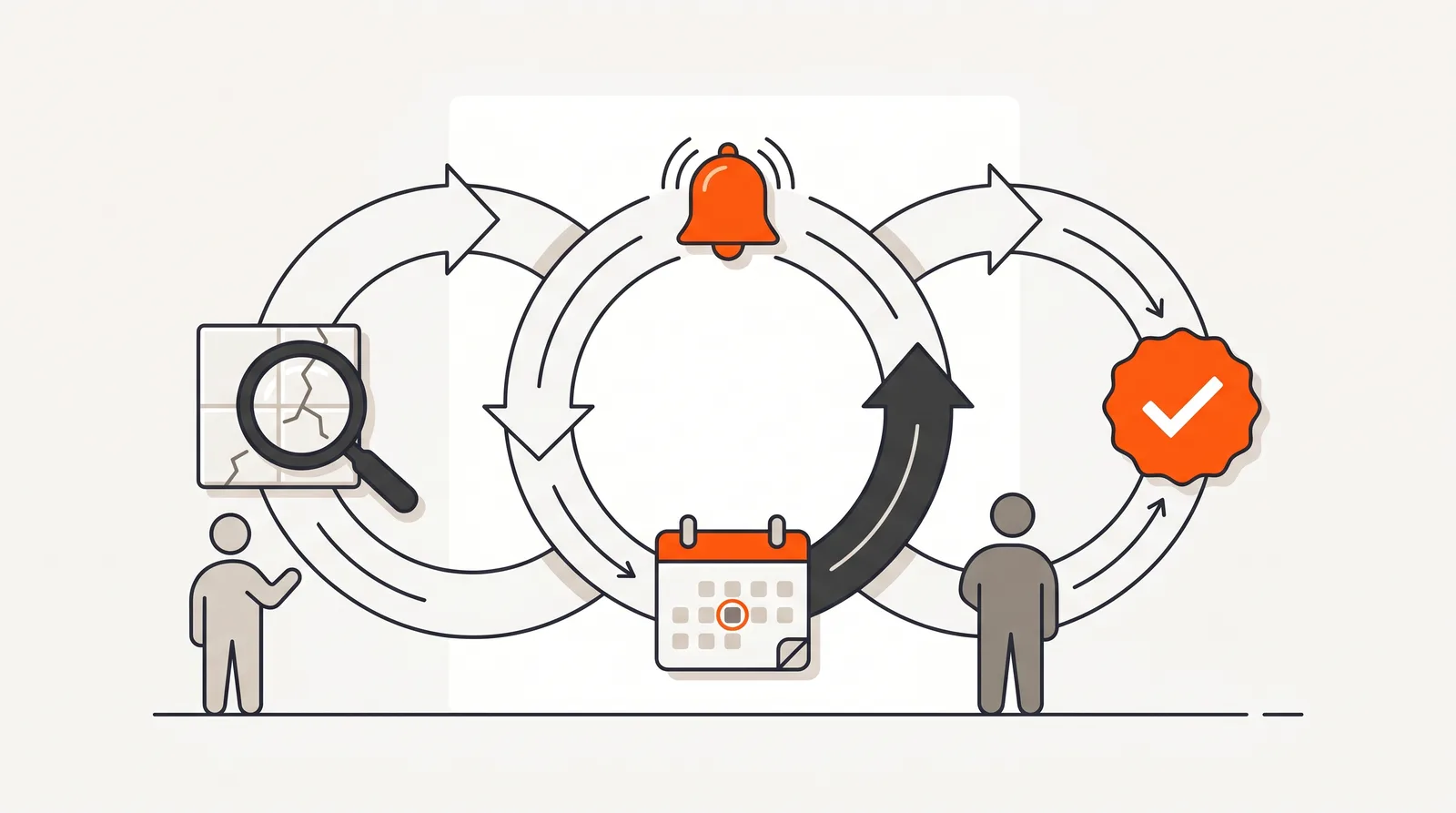
Log & classify
A defect is raised into the DLP's Defects/Issues folder, categorised by responsibility (client, builder, trade, tenant), typed (design, construction, damage, operational, technical) and given an importance of low, medium, high or urgent.
Assign & chase
The assigned tradie is notified immediately. Daily reminders fire from the planned action date, paced by importance. If nobody picks the defect up, or it goes overdue, Procom escalates to project and company managers automatically.
Resolve & report
Completion notifies the creator and managers. The DLP dashboard exports to XLSX for client reporting, and automated end-of-month and mid-month summary emails keep everyone honest, including warnings for activities missing a subcontractor.
The defect lifecycle, closed-loop
Why it matters
Retention money sits behind the DLP. A contractor who cannot demonstrate that defects were rectified promptly and completely gives the client every reason to hold it, and a spreadsheet maintained by a project team that has moved on to the next job is not a demonstration of anything.
The failure pattern is consistent: defects get reported by email, logged inconsistently, assigned verbally, and forgotten until the client's quarterly review turns them into a relationship problem. The fix is equally consistent: a single register where every defect has an owner, a clock and an escalation path that does not depend on anyone remembering to check.
The reminder log matters more than it sounds: when a subcontractor disputes ever being told about a defect, the platform's record of every reminder sent, and every action logged through the audit trail, ends the argument before it starts.
Compared to
| Task | Spreadsheet + email | Procom |
|---|---|---|
| Logging defects | Whoever receives the email re-types it, eventually. | Raised directly into the DLP's Defects/Issues folder with category, type and importance. |
| Chasing trades | Manual follow-ups when someone notices. | Daily automated reminders paced by importance, plus one-click work-order reminders from the dashboard, all logged. |
| Stuck defects | Discovered at the client meeting. | Automatic escalation to project and company managers on unassigned and overdue thresholds. |
| Client reporting | Hours rebuilding the spreadsheet into something presentable. | XLSX dashboard export plus automated monthly and mid-month summary emails. |
| Disputes | "We were never told about that defect." | Notification history and reminder log settle who knew what, when. |
Specifications
Defect classification
Categories: client, builder, trade, tenant. Issue types: design, construction, damage, operational, technical. Importance: low, medium, high, urgent.
Notifications
Dedicated notifications for defect created, assigned, completed, due-reminder and overdue, routed to the assignee, creator and managers as appropriate.
Escalation
Automatic escalation to project and company managers when defects sit unassigned past time thresholds, or overdue past resolution thresholds. Urgent defects escalate to the project manager after 1 day unassigned and to the company manager after 3 days overdue; High after 3 and 7 days; Medium after 7 and 14; Low after 14 and 30.
Reminders
Daily automated reminders based on the planned action date, with cadence set by importance: Urgent: daily until resolved; High: 3 days before and on the due date; Medium: 1 day before and on the due date; Low: on the due date. Manual work-order reminders sendable from the DLP dashboard, with a log of every reminder sent.
Reporting
DLP dashboard export to .xlsx for project and company managers, plus automated end-of-month and mid-month DLP summary emails with missing-subcontractor warnings.
Schedules
DLP schedules drive recurring activities and work orders through the liability period; deleting a schedule removes its associated work orders to keep the register clean.
Frequently Asked Questions
What is the Defects Liability Period?
The Defects Liability Period (DLP) is the contractual window after Practical Completion, typically 12 to 24 months, during which the contractor remains responsible for rectifying defects in their work. Managing it well protects retention, reputation and the relationship with the client.
How are defects categorised in Procom?
Each defect is categorised by who it belongs to (client, builder, trade, or tenant), typed by its nature (design, construction, damage, operational, or technical), and given an importance level of low, medium, high, or urgent. Categorisation drives reminders, escalation, and reporting.
What happens when a defect is logged?
A Defects/Issues folder is created automatically for each DLP. When a defect is raised, the assignee and project managers are notified; the assigned tradie gets an assignment notification; reminders fire daily based on the planned action date, with frequency determined by importance; and completion notifies the creator and managers.
What if nobody picks a defect up?
Procom escalates automatically. Unassigned defects that exceed time thresholds, which vary by importance, escalate to project managers and company managers, as do overdue defects that blow through their resolution time. Nothing sits silently in a spreadsheet.
How do I report DLP progress to the client?
The DLP dashboard exports to XLSX for offline analysis and reporting. On top of that, Procom sends automated end-of-month and mid-month summary emails, including warning sections that list activities still missing an assigned subcontractor.
Can I chase overdue work orders from the dashboard?
Yes. Project and company managers can send email reminders for upcoming or overdue work orders directly from the DLP dashboard, and the platform keeps a log of every reminder sent, useful evidence when a subcontractor disputes being notified.
Still running the DLP from a spreadsheet?
Book a walkthrough on a live defect lifecycle, or ask us about managing your current DLP: platform, service or both.